
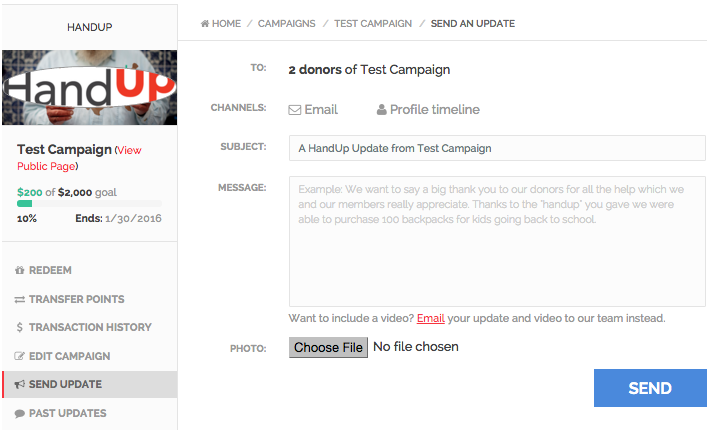
To send an update to donors, first access the campaign through the admin dashboard, then click ‘Send Update’ from the left side menu. The update is set up similar to an email with a subject line, body, and ability to add a photo attachment. In the ‘To’ area you will see how many donors will receive the message. Any messages sent through here will go to all current donors in your campaign. To see specific people you can click “Donor List” on the left side menu.
Comments
0 comments
Please sign in to leave a comment.